Khatat: A Reed Pen for the Screen
Personal project · Mac app and web app
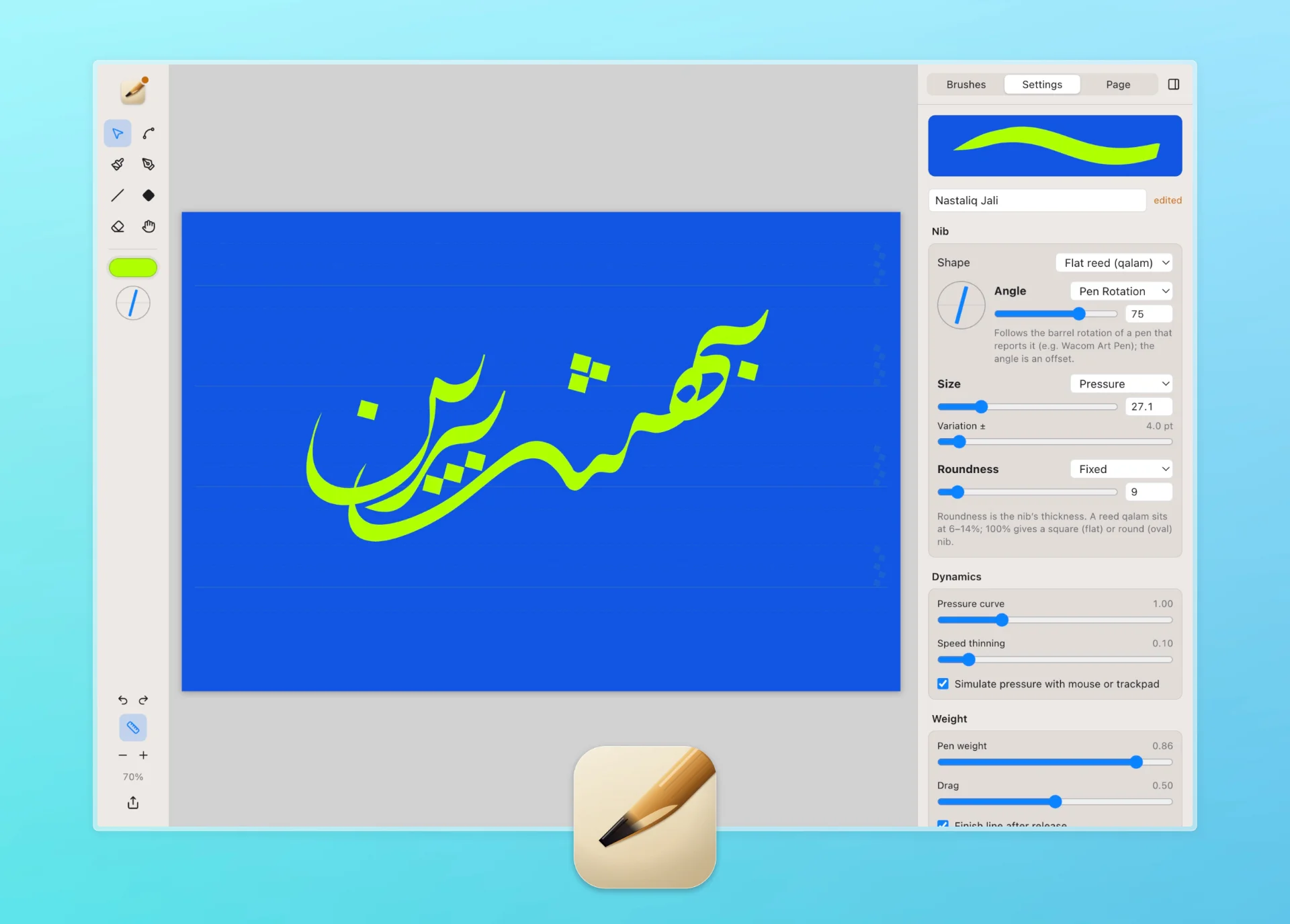
Key Skills: Product Design • Interaction Design • Tool Design • Prototyping in Code
The Challenge: Arabic and Persian calligraphy is written with a qalam, a reed pen cut flat at an angle. Its thick and thin strokes come from that angle, and every letter is measured in the rhombic dots (nuqta) the pen makes. Digital tools don’t think this way: drawing apps offer round brushes, calligraphy apps mostly turn typed text into fonts, and Persian Nastaliq is rarely considered at all.
The Goal: A free tool that writes like a reed pen, teaches the proportions of each script, and keeps every stroke editable.
How the Brush Engine Works
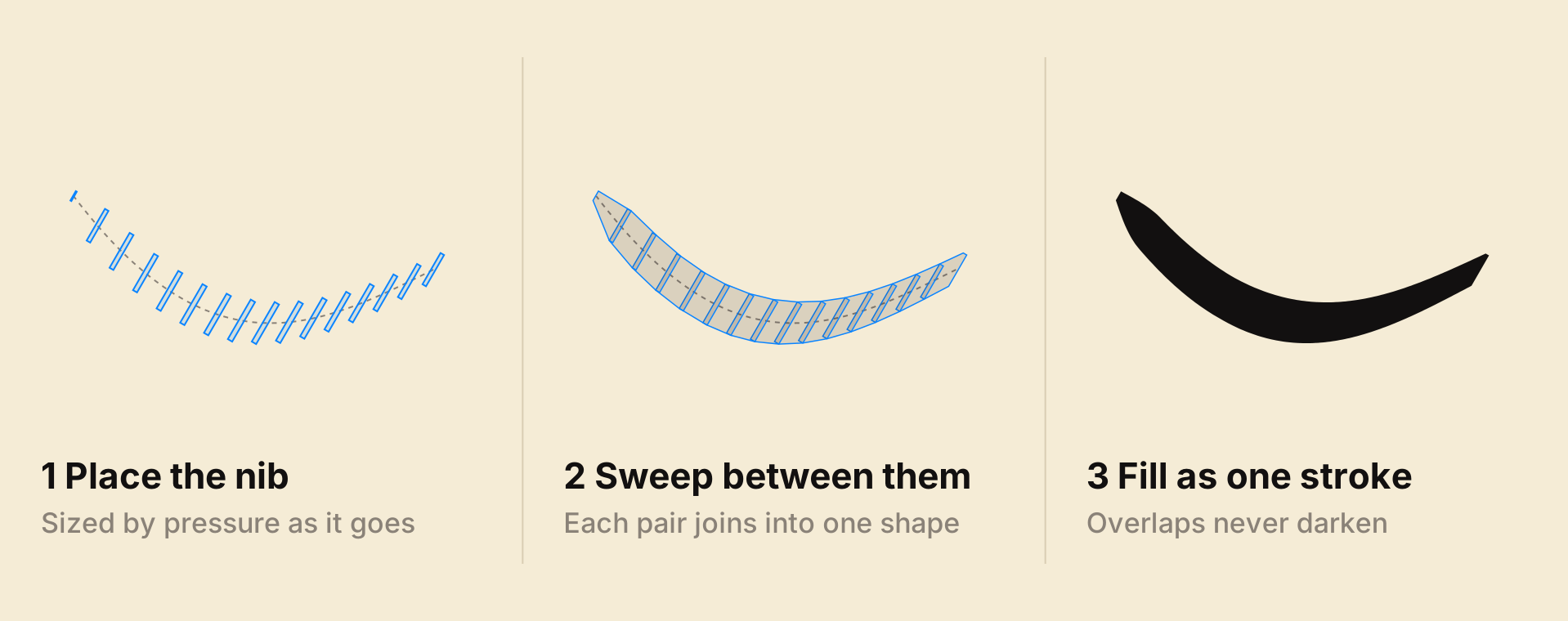
Most painting apps stamp round dabs. Khatat treats the nib as a flat shape and fills the exact area it sweeps, the way a reed leaves ink. Draw on the paper below, then switch between the three stages.
-
01
Record
Position, pressure, tilt, rotation and time, at the pen’s full rate.
-
02
Even out
Re-spaced every 2 pt, so a mouse and a tablet draw the same line.
-
03
Sweep
Each pair of nibs joins into one shape, and overlaps never darken.
-
04
Repeat
A 64-bit seed per stroke, so it redraws identically on Mac and web.
A Nib With Weight
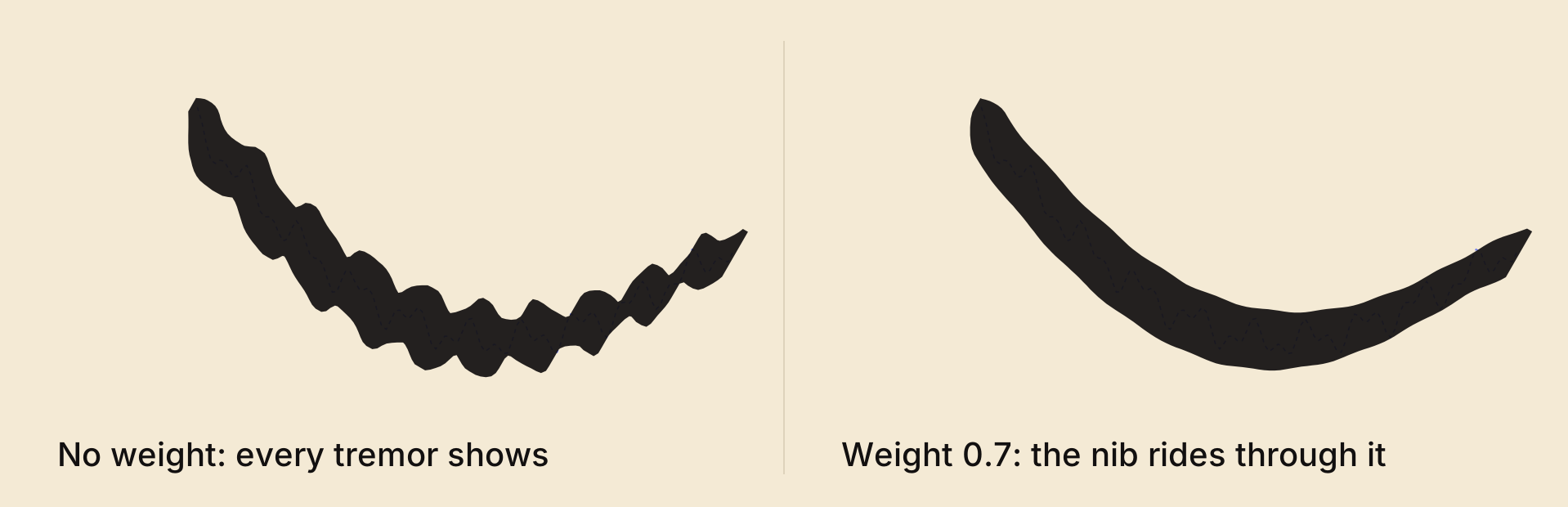
Weight puts the nib on a spring. It glides through a shaky hand, which suits long kashida strokes.
Brush Settings
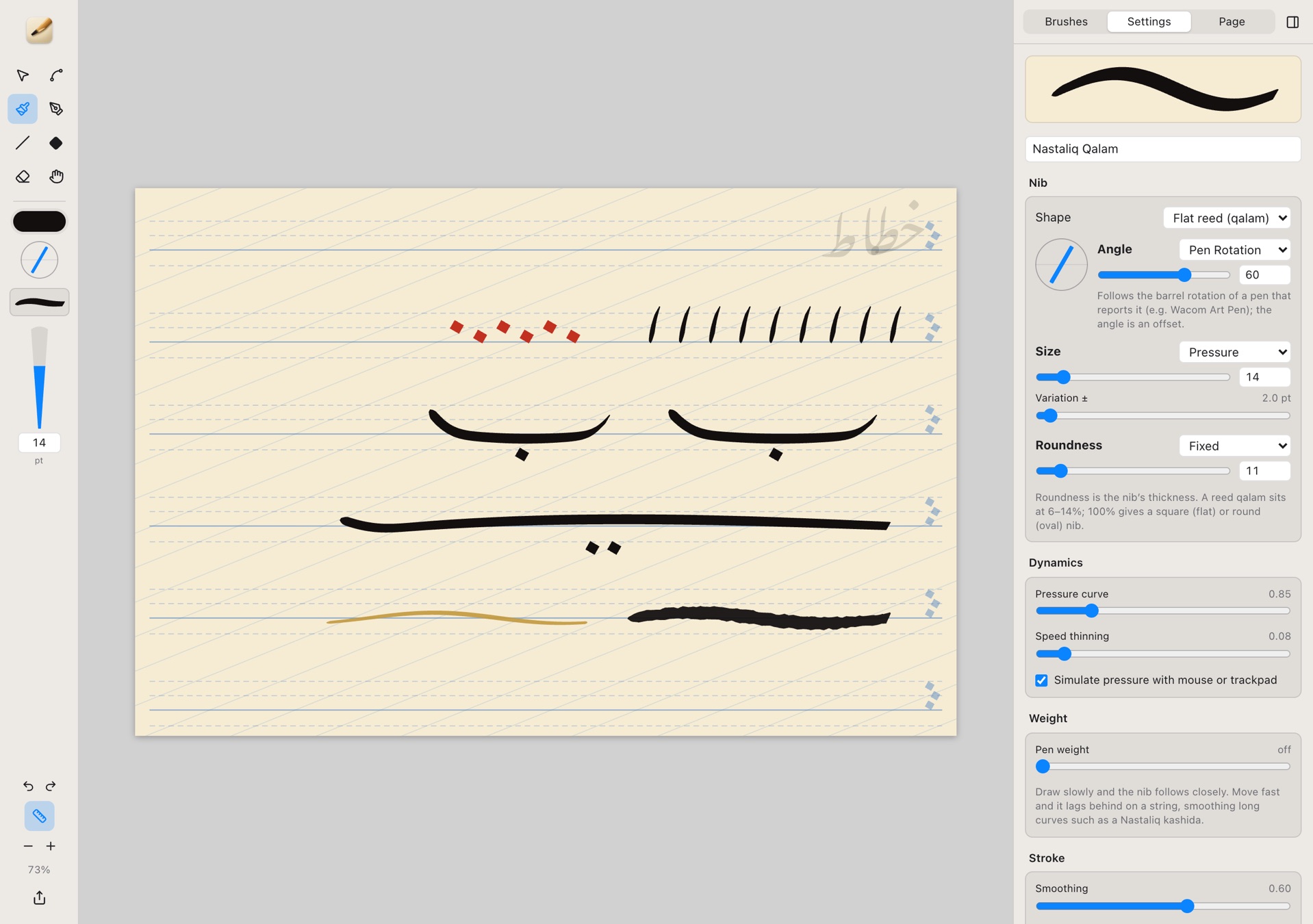
Grouped like a pen: the nib, how it responds, its weight, the stroke and the ink. These six shape a stroke the most.
Nib angle
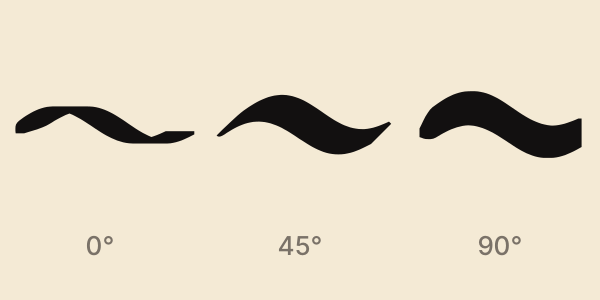
The reed’s edge to the baseline: 70° for Naskh, 60° for Nastaliq. It can also follow the stroke or the pen’s rotation.
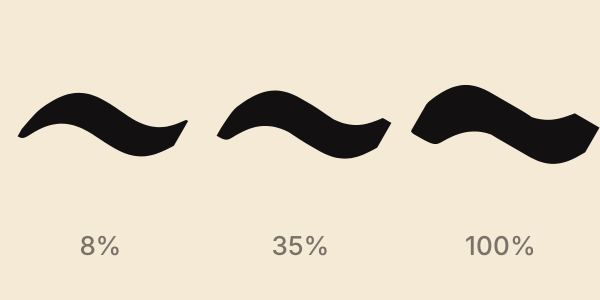
Roundness
The nib’s thickness. A cut reed is 6–14%; 100% is a square or round nib.
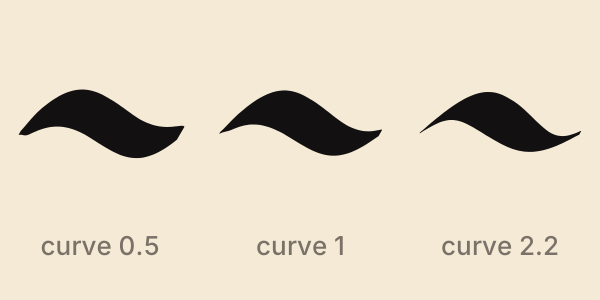
Pressure curve
How quickly pressure becomes width. Below 1 feels soft, above 1 firm.
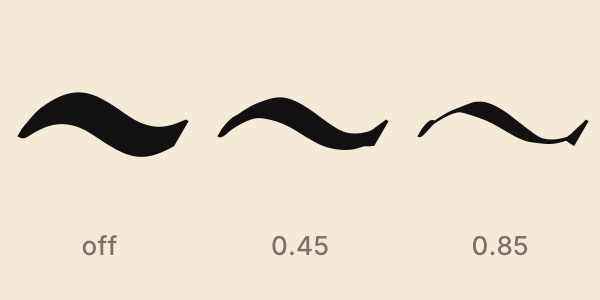
Speed thinning
Fast strokes run thin, like a reed running short of ink.
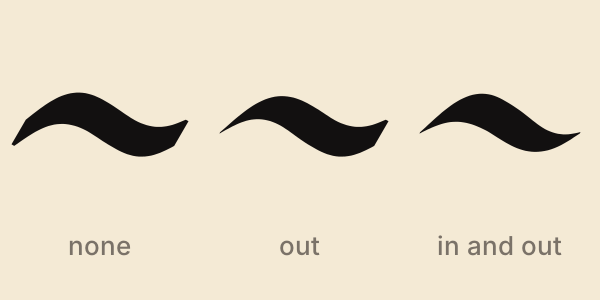
Tapers
Narrow the start and end over a set length, easing in.
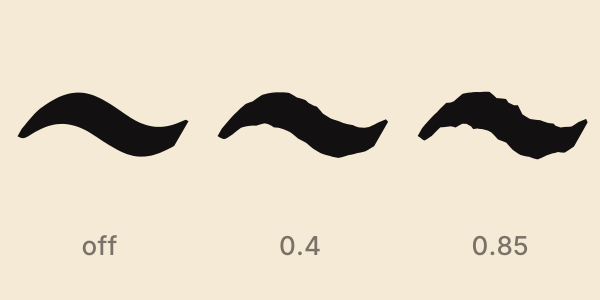
Dry edge
Frays the outline like a dry or freshly cut reed.
Also in the panel: size, variation by pressure, tilt, rotation, speed or direction, opacity, smoothing, stabilizer, drag, taper tip, seven traditional inks, and your own saved brushes.
Key Design Decisions
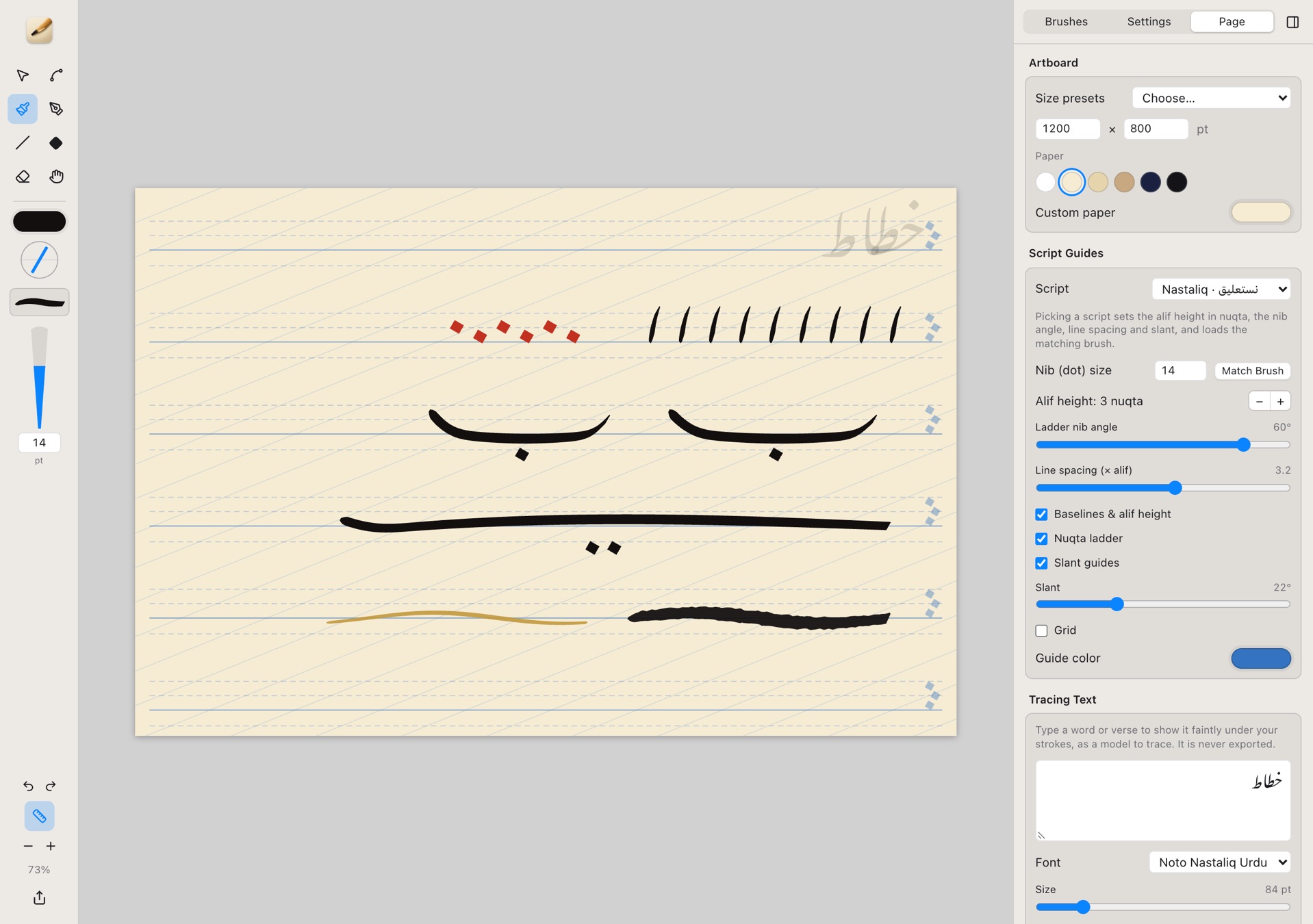
Guides Measured in Nuqta
Pick a script and the page sets the alif height in dots, the nib angle, line spacing and slant, and loads the matching brush. A faint tracing text can sit underneath as a model.
Strokes Stay Editable
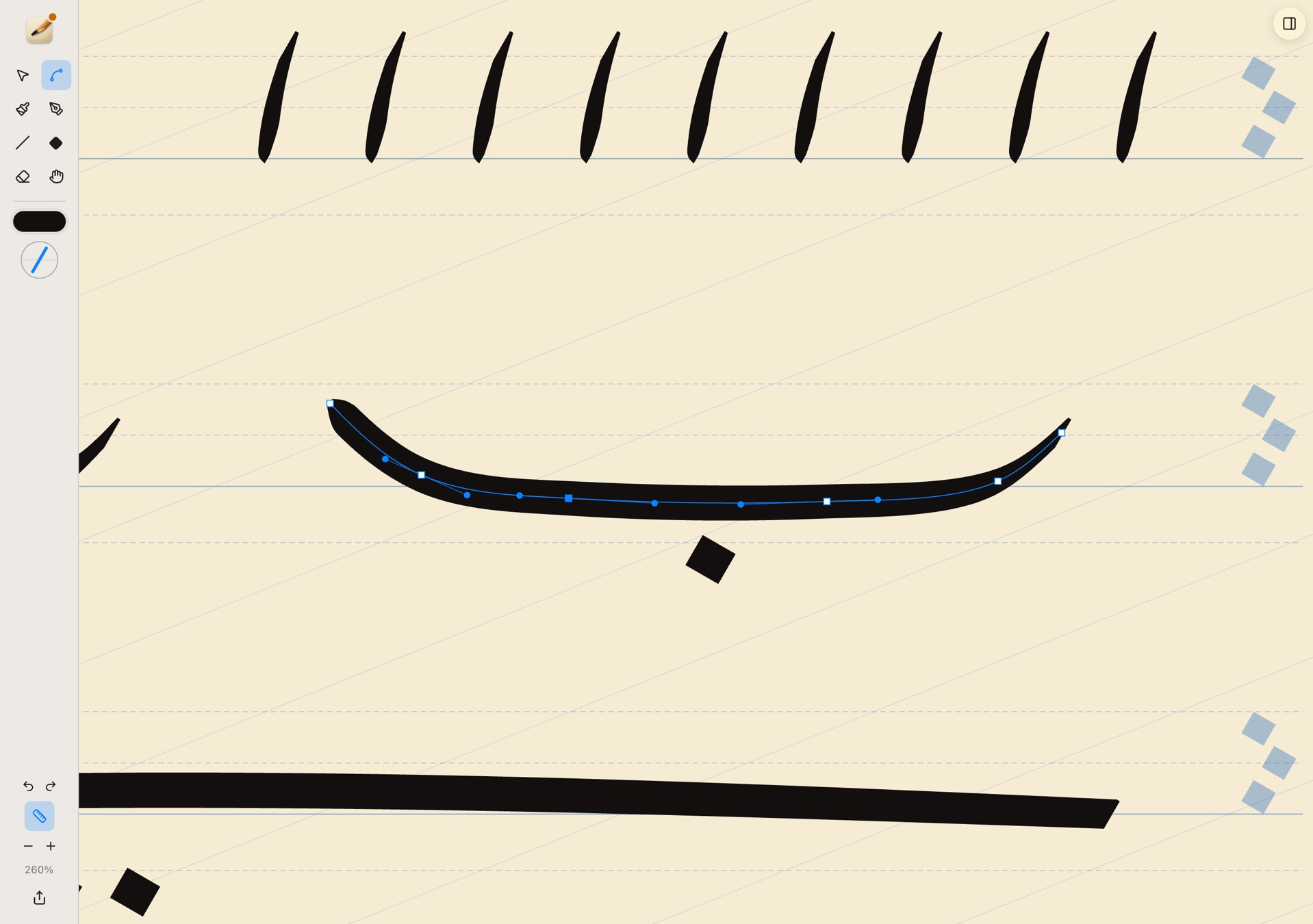
A hand-drawn stroke opens as a few Bézier anchors, edited like Illustrator paths, and keeps the pen’s pressure.
Made for Right-to-Left Writers
Shortcuts follow the physical key, so they work with a Persian or Arabic keyboard layout. Tab hides the panels for focused writing, in light or dark mode.
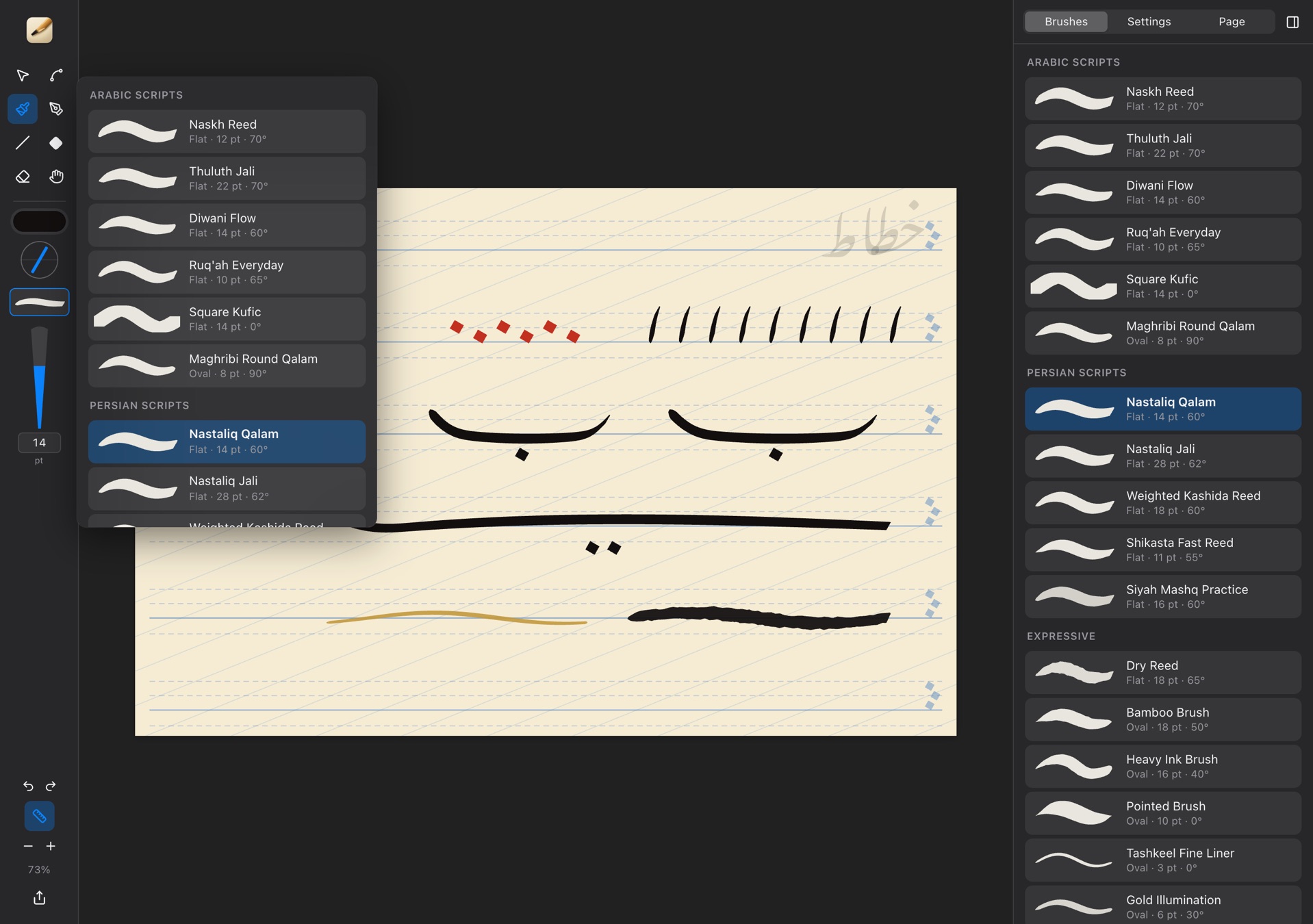
One Engine, Two Platforms
A native Mac app, and the same tool in any browser, including an iPad with Apple Pencil. Files open on either and look identical.
9 Scripts
Guide presets from Naskh and Thuluth to Nastaliq and Square Kufic.
21 Brushes
Templates for each script and for expressive work.
Free
In any browser at khatat.saminazari.me, with PNG, SVG and PDF export.
Challenges & Trade-offs
The hardest problems were about trust. At first the same brush drew visibly different strokes on a mouse and a tablet, because smoothing counted pen events rather than distance. Measuring along the stroke instead raised how closely the two agree, for the least consistent brush, from 54% to 96%. Undo had a subtler bug: a weighted stroke finishes a moment after the pen lifts, and that late step merged with the next change, so one undo removed two strokes. Every change is now its own step. Both fixes follow one rule a calligrapher would recognise: the same gesture should always make the same mark, and undo should take back exactly one.